The 2026 Sales Follow-Up Workflow: Fireflies to Inbox
Master the 2026 sales follow-up workflow: Learn how to turn Fireflies AI transcripts into actionable follow-up emails with nudge, the ultimate un-CRM.
From Fireflies to Inbox: The 2026 Sales Follow-Up Workflow
In the high-stakes world of founder-led sales and boutique consulting, your most valuable asset isn’t just your product—it’s your word. You spend your days in back-to-back meetings, uncovering pain points and building rapport. The energy is high, the "yes" feels imminent, and the transcript is captured perfectly.
But then, the meeting ends.
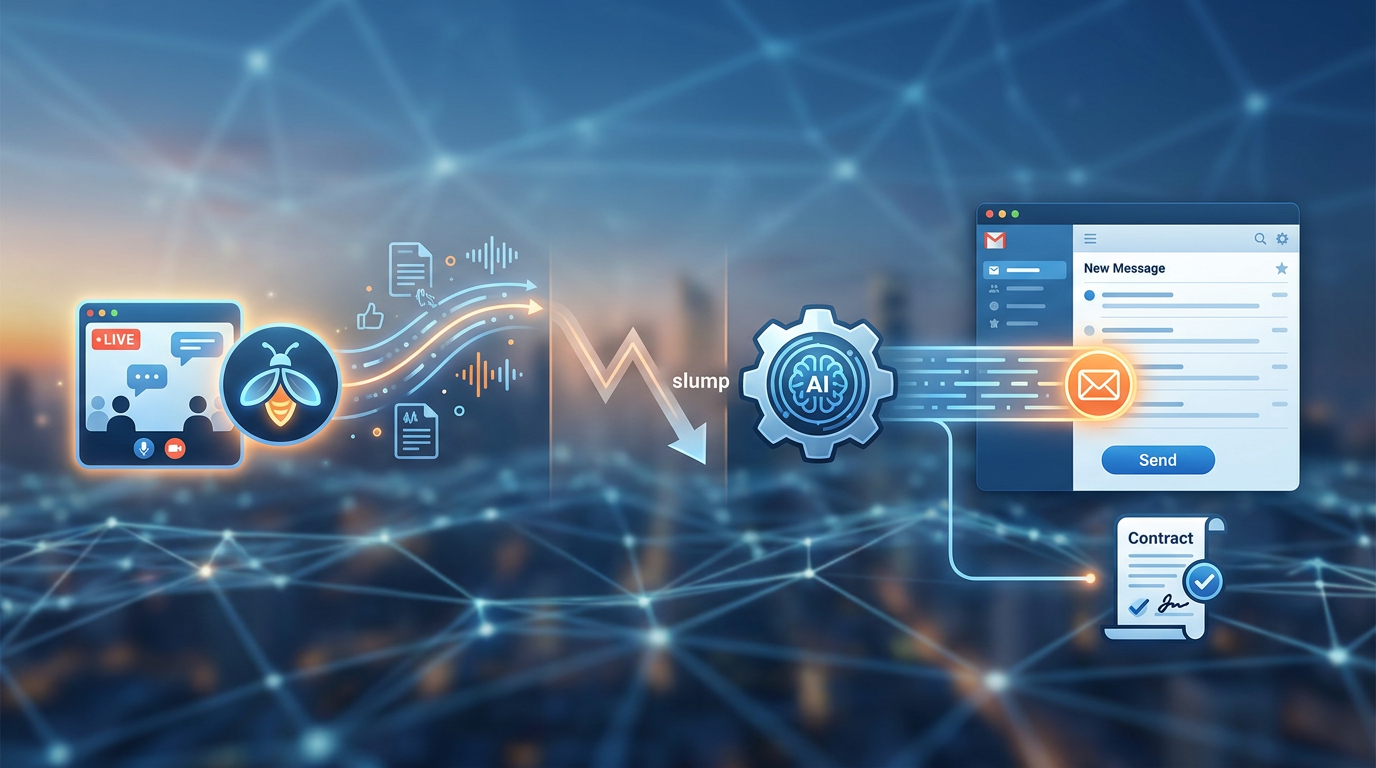
The transition from a high-energy Zoom call to a concrete follow-up email is often where deals go to die. It’s what we call the "post-call slump." You have the data, but you lack the momentum to turn that data into a closed contract. By mid-2026, the volume of data we capture has exploded, yet the time we have to process it has shrunk.
To survive and thrive this year, you need more than a digital filing cabinet. You need a follow-through engine. This guide explores how to bridge the gap between AI transcriptions and your prospect’s inbox, transforming raw audio into a relentless sales machine.
The Problem: Great Calls, Broken Follow-Ups
It’s a scenario every founder knows too well: You had a fantastic discovery call on Tuesday. You took notes, and your AI assistant recorded every word. You promised to send over a revised MSA and a case study by Thursday.
Then Wednesday happened. And Thursday’s inbox was an avalanche.
Suddenly, it’s three weeks later, and your prospect sends that dreaded "We decided to go in a different direction" email. You didn't lose the deal because your product was bad; you lost it because you went silent.
The friction of manual transcription review is the primary culprit. Even with the best AI recorders, it often takes longer to re-read a transcript and extract tasks than it did to have the meeting itself. Most CRMs only make this worse, requiring you to copy-paste, fill out mandatory fields, and update pipelines before you even send a single "thank you" note.
The missing link isn't more storage for your notes—it's a system that does the "follow-up thinking" for you. For a deeper look at the landscape of these technologies, check out our comprehensive guide to AI tools to draft follow-up emails from transcripts.
Step 1: Capturing Data with Fireflies.ai
Before you can automate your follow-up, you need high-fidelity capture. In 2026, Fireflies.ai remains the gold standard for recording, transcribing, and searching voice conversations. Whether it’s a Google Meet, a Zoom, or a phone call, Fireflies ensures that not a single syllable of "tribal knowledge" is lost.
The Limitation of Raw Transcripts
While Fireflies is incredible at capturing the *what, it struggles with the actionable when*. A 45-minute transcript is a wall of text. Even with AI summaries, these notes often live in a vacuum. They are artifacts, not actions.
Preparing for the Handoff
To build a seamless workflow, your Fireflies transcripts shouldn't just sit in your notebook. You need a way to push that data into a workspace that understands ownership and deadlines. The goal is to move from a "recording of a conversation" to a "plan of record for a customer."
Step 2: Transforming Transcripts into Action Plans with Nudge
This is where nudge—the "un-CRM"—comes in. Nudge was built for founders who have "quit three CRMs" because they were tired of the bloat. It doesn’t ask you to manage a pipeline; it asks you to manage your promises.
From Import to Organize
You don’t need to spend hours manually logging data. Nudge allows you to pull transcripts directly from Fireflies (or Google Drive/Gemini Note Taker). Once the transcript is in nudge, the software does the heavy lifting:
- AI Action Extraction: Nudge reads the transcript and identifies every commitment made during the call. If you said, "I'll send the SOC 2 docs on Thursday," nudge finds it, dates it, and assigns it to you.
- Customer Page Construction: Instead of a messy folder of notes, nudge auto-builds a dedicated page for every customer. Every conversation, task, and note lives in one place, organized by the account, not the date.
- Automatic Updates: If the customer mentioned they are waiting for their "V2 launch on August 1st" before they can sign, nudge extracts that blocker and creates a reminder for you to follow up.
By using nudge, you eliminate the cognitive load of "What did I promise?" and "Where did I put that note?"
Step 3: From Extracted Tasks to Drafted Emails in Seconds
The most powerful feature of nudge is its ability to act as a tool to turn call transcripts into follow-up emails.
In the past, drafting a follow-up required you to keep two tabs open: the transcript and your Gmail. You’d hunt for specific details to prove you were listening, try to remember the "vibe" of the call, and struggle to word the "next steps" clearly.
AI-Powered Precision
Nudge uses the specific context of your imported transcript to write the email for you. Because it knows who said what and when things are due, the draft it generates is highly personalized:
- *"Hi Charles, great speaking today about the SAP migration. As discussed, I've attached the case study on how we helped Lattice with a similar tribal-knowledge gap. I’ll get those revised SOC 2 docs to you by Thursday morning."*
Maintaining the Personal Touch
You aren't sending a bot-generated mass email. Nudge presents you with a pre-filled draft based on the call. You can review it, tweak a sentence to match your voice, and hit send in seconds. This reduces the time spent writing outreach by 90%, ensuring you follow up while the lead is still "hot."
Step 4: Managing Long-Term Relationships Without CRM Bloat
The follow-up doesn't end with the first email. Deals in 2026 are won through persistence. Nudge ensures nothing falls through the cracks via its Gmail Auto-Tasks integration.
Closing the Loop Automatically
Once you connect your Gmail, nudge watches the threads for you:
- Auto-Close: When you send that SOC 2 document you promised, nudge recognizes the task is complete and closes it on your dashboard.
- New Asks become New Tasks: If the prospect replies with a new question—"Can you also show this to our legal team?"—nudge extracts that new request and adds it to your task list.
- Unified Task List: Instead of checking five different customer pages, you get one "Unified View." It’s a single list of every action item across every deal, sorted by urgency. It’s the ultimate "What do I do today?" dashboard.
Why "Un-CRMs" are Winning in 2026
Traditional CRMs feel like chores. They require you to enter data that doesn't help you sell; it only helps your manager run reports. Founders are moving to nudge because it actually *helps* the salesperson. There are no required fields, no complex pipelines, and no dashboards you'll never look at. There is only the work that needs to be done to get the "Yes."
Conclusion: Building a Scalable Follow-Through System
Success in sales isn't about who has the loudest pitch; it's about who is the most reliable. When you use Fireflies and nudge together, you aren't just taking notes—you're building a system that ensures you never miss a beat.
Stop hunting through transcripts for what you promised. Stop letting deals die in three weeks of silence. Use the modern tool for turning call transcripts into follow-up emails and turn every meeting into a closed deal.
Ready to automate your follow-through? Try nudge for free today — the un-CRM that turns your notes into action.Frequently Asked Questions
How does nudge differ from a traditional CRM like Salesforce or HubSpot?
nudge is built for action, not reporting. While traditional CRMs focus on "pipelines" and "deal stages," nudge focuses on the individual tasks and follow-ups required to move a deal forward. It is designed to be "un-bloated," meaning it auto-creates tasks from your notes rather than making you enter them manually.
Can I use nudge with other note-taking apps besides Fireflies?
Yes! nudge is designed to work with your existing workflow. You can import transcripts directly from Granola, Google Drive (Gemini Note Taker), or simply paste manual notes into the interface.
Is the AI email drafting personalized?
Absolutely. Unlike generic AI writers, nudge uses the context of your actual conversation. It references specific pain points, stakeholders, and deadlines mentioned during the call, making the outreach feel human and attentive.
Does Gmail Auto-Tasks work with any email provider?
Currently, nudge is optimized for Gmail. It allows you to track threads, auto-close tasks when commitments are met, and ensure your Unified Task List is always up to date based on your actual communication.
How does the "Auto-Close" feature work?
Nudge uses fuzzy title matching and thread tracking. If it sees that a task (e.g., "Send pricing tier") has been addressed in an outgoing email on that customer's thread, it marks the task as complete automatically.