Extracting Action Items from Google Meet Transcripts (2026)
Learn how to extract action items from Google Meet transcripts in 2026. Use AI to automate follow-ups, close more deals, and eliminate post-call fatigue.
Extracting Action Items from Google Meet Transcripts (2026)
In the high-stakes world of founder-led sales, the hour you spend on a Google Meet call is rarely where the deal is won. The victory happens in the three days following that call. Yet, as we move through 2026, a frustrating paradox remains: the more tools we have to record and transcribe our meetings, the harder it seems to actually move the needle.
We are drowning in data but starving for action. You finish a brilliant demo, the transcript lands in your inbox five minutes later, and then... nothing. That transcript sits in a folder alongside dozens of others—a wall of text that requires another thirty minutes of manual labor to parse, organize, and act upon.
This gap between "having a conversation" and "closing a deal" is where most startups fail. In fact, research indicates that 70% of lost sales are attributed solely to a lack of follow-up. When you're a founder or leading a lean team, you don't have a sales enablement department to clean up your notes. You need a way to extract action items from Google Meet transcripts that doesn't feel like a second job.
The Challenge: Turning Google Meet Conversations into Closed Deals
The phenomenon is known as "post-call fatigue." After a day of back-to-back meetings, the last thing any founder wants to do is scan a 4,000-word transcript to find that one specific moment where the prospect mentioned they needed a legal review of the MSA by next Tuesday.
Even with the advancements in AI by 2026, many teams still treat transcripts as a filing cabinet rather than a fuel source. They record the call for "record-keeping," but the actual follow-through relies on the founder’s memory or a chaotic mess of sticky notes and notification pings.
The statistics are sobering:
80% of deals require at least five follow-ups to close.
48% of sales reps never follow up after the first call.
Only 2% of sales close on the first contact.
In this landscape, your competitive advantage isn't just your product features; it's your persistence. To win in 2026, you must move beyond static text files and adopt a "follow-through engine" that turns raw conversation into a dynamic action plan.
How to Manually Extract Action Items from Google Meet Transcripts
Before we dive into automation, it is helpful to understand the native workflow within the Google ecosystem. Google Meet has made strides in its built-in transcription services, but it remains a storage-heavy, action-light solution.
How to Enable and Locate Transcripts
By 2026, most Google Workspace tiers include automated transcription as a standard feature. To use it:
In a Google Meet, click the Activities icon (the shapes in the bottom right).
Select Transcripts and click Start Transcription.
Once the meeting ends, a text file is automatically saved to the organizer’s "Meet Recordings" folder in Google Drive and emailed directly to the host.
The Drawbacks of the Manual Hunt
While having the text is better than nothing, the manual review process is a massive time-sink. You find yourself scanning for "trigger phrases" like:
*"I'll send you..."*
*"Can you check on..."*
*"Let's circle back on..."*
*"I need to talk to my manager about..."*
The risk here is the "three-week silence." You keep meaning to review the notes, but a product fire happens. By the time you finally open that Drive folder, the lead has gone cold. Manual systems—spreadsheets, Trello boards, or calendar blocks—fail to scale because they require you to maintain the system on top of your already full day. If the administrative work exceeds the value of the sales call itself, the system inevitably breaks down.
Automating Extraction: Turning Transcripts into an Action Plan with Nudge
This is where Nudge changes the game. Nudge isn't just another note-taking app; it’s a follow-through engine designed for founders who have abandoned traditional CRMs because they were too much work.
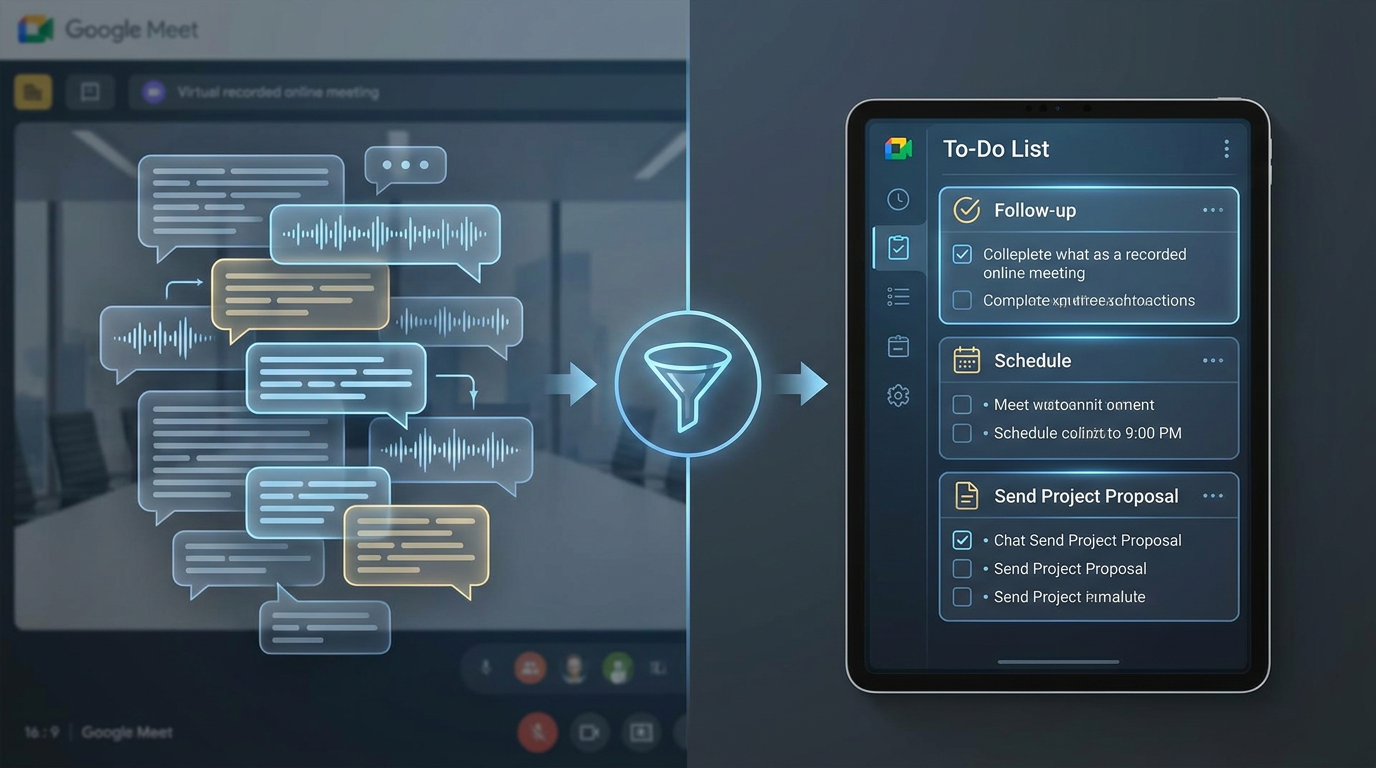
Instead of hunting through Google Drive, Nudge integrates directly with your workflow to extract action items from Google Meet transcripts automatically.
The Nudge Workflow: Import, Organize, Action
Import: Pull your Google Meet transcript directly from Google Drive or Gmail into Nudge. It also works seamlessly with tools like Granola and Fireflies.
Organize: Nudge goes beyond standard file storage. It builds and updates a Customer Page for every account automatically.
AI Action Extraction: This is the core magic. Nudge’s AI analyzes the transcript and identifies every commitment made—both by you and the prospect. It doesn't just find the text; it assigns a suggested date based on the context of the conversation.
The Living Page: Every Google Meet session, every email, and every commitment is synthesized into one chronological history. The "next step" is always at the top, so you never have to ask, *"Wait, what did we agree on last time?"*
Beyond the List: Drafting the Perfect Follow-Up Email via AI
Extracting the action item is only half the battle; the other half is sending the follow-up. In 2026, successful founders are ditching the "writer's block" that comes with a blinking cursor.
Nudge serves as a premier AI tool that writes follow-up emails from transcripts. Because it already understands the action items it just extracted, it can draft a contextually relevant email in seconds.
For example, if the transcript says, *"I'll send you the revised SOC 2 docs by Thursday,"* Nudge will:
Extract the task: "Send SOC 2 docs (Due Thursday)."
Add it to your unified task list.
Prompt you on Thursday with a pre-written email draft that includes the full context of your last call.
You aren't delegating the relationship to an AI; you are delegating the friction. You remain in control—Review, Edit, and Send. This ensures that the professional, persistent follow-up that closes deals happens in seconds, not hours.
Why Founders Are Replacing Bloated CRMs with Follow-Through Engines
Traditional CRMs were built for sales managers who want to look at dashboards, not for founders who want to sell. For a lean team, a CRM is often just a "database of dead dreams"—a place where leads go to be forgotten because the interface is too cluttered.
Efficiency vs. Discipline
Classic CRMs force you to manage pipelines, lead scoring, and complex forecasting. Nudge focuses on the only thing that actually moves a deal forward: The Next Step.
In 2026, the competitive edge is velocity. If a prospect asks for pricing on a Tuesday and they have a quote in their inbox by Tuesday afternoon with a clear summary of their needs, you have already won 90% of the battle.
Nudge provides the discipline of a CRM without the "busywork." There are no complex fields to fill out; there is just you, your customer, and the list of promises you intend to keep. It’s the perfect solution for the founder who has realized that a spreadsheet isn't enough, but Salesforce is too much.
Conclusion: Never Miss a Commitment Again
The silence following a great sales call is where deals go to die. By automating how you extract action items from Google Meet transcripts, you ensure that every commitment you make is a commitment you keep.
With Nudge, you stop "taking notes" and start "making notes work for you." You move from a state of constant mental overhead to a streamlined workflow where your tasks are prioritized and prepared for you.
Don't let another great conversation sit unread in your Google Drive. Turn your transcripts into an organized action plan today.
Start for free – No credit card required. Build your first customer page in under five minutes.
FAQs
How does Nudge extract action items differently than standard AI tools?
Most AI tools just provide a summary. Nudge is specifically trained to identify *intent, commitments, and next steps*. It distinguishes between a general topic and a dated action item, then places that item into a unified task list organized by customer rather than leaving it buried in a summary document.
Can I import transcripts from other platforms besides Google Meet?
Yes. Nudge is designed to be the central follow-through engine for all your sales data. You can import transcripts or notes from Google Drive, Gmail, Granola, and Fireflies.
Does Nudge store my transcripts securely?
Absolutely. Nudge uses enterprise-grade encryption to ensure your sales conversations and customer data remain private and secure.
Is Nudge a replacement for a CRM?
For many founders and small sales teams, yes. If you find yourself avoiding your CRM because it's too complex, Nudge provides the essential "follow-through" features—tasks, customer history, and email drafts—without the unnecessary dashboards and pipeline bloat.
Do I need to be a technical person to set up the Google Meet integration?
Not at all. If you can click a link or connect your Google account, you can use Nudge. Most users have their first customer page ready to go in less than five minutes.