Automate Sales Follow-Up Emails from Gmail (2026 Guide)
Discover how to automate sales follow-up emails from Gmail threads in 2026. Use AI to extract tasks, draft emails, and close the 'Silence Gap' to win more deals.
Automate Sales Follow-Up Emails from Gmail Threads (2026)
The year is 2026, and the sales landscape has shifted. AI is no longer a "future" feature—it is the baseline for how business gets done. Yet, despite the surge in high-tech tools, the most common reason deals fail remains remarkably human: the silence.
For founders and small sales teams, the gap between a "great meeting" and a "signed deal" is often where momentum dies. You have a fantastic discovery call, you promise three assets and a pricing breakdown, and then... life happens. Your inbox fills up, a crisis strikes elsewhere, and those promises sink to page two of your Gmail.
If you are looking to bridge this gap, learning how to automate sales follow-up emails from Gmail threads in 2026 is the single most impactful change you can make to your sales velocity.
The 'Silence Gap': Why Great Sales Meetings Stall in the Inbox
In 2026, the "Silence Gap" is the number one killer of early-stage growth. You’ve felt it. You spend 45 minutes on a video call, build a genuine rapport, and identify a clear pain point. But because you don’t have a full-time sales ops team, the burden of follow-through falls entirely on you.
Follow-Up Debt
We call this "Follow-up Debt." Every time you promise a case study or a revised quote and don’t send it by the promised date, you accrue interest in the form of lost trust. By the time you finally send that email three weeks later, the lead has already moved on to a competitor who was more responsive.
The CRM Failure Point
Traditional CRMs are supposed to fix this, but for most founders, they actually make it worse. Why? Because they require a "system on top of a system." You have to leave your inbox, open a complex dashboard, manually log that you sent an email, and create a reminder to send another one. It’s bloat you don't need.
As we move deeper into 2026, the era of manual data entry is over. Founders are quitting traditional CRMs in favor of tools that meet them where they already work—their inbox and their notes. To understand the broader landscape of these technologies, check out our comprehensive guide to AI tools to draft follow-up emails from transcripts.
How to Automate Sales Follow-Up Emails from Gmail Threads in 2026
The "un-CRM" approach isn't about ignoring data; it's about making the data work for itself. Instead of you working for your CRM, your communication tools should work for you.
Moving to Automatic Thread Monitoring
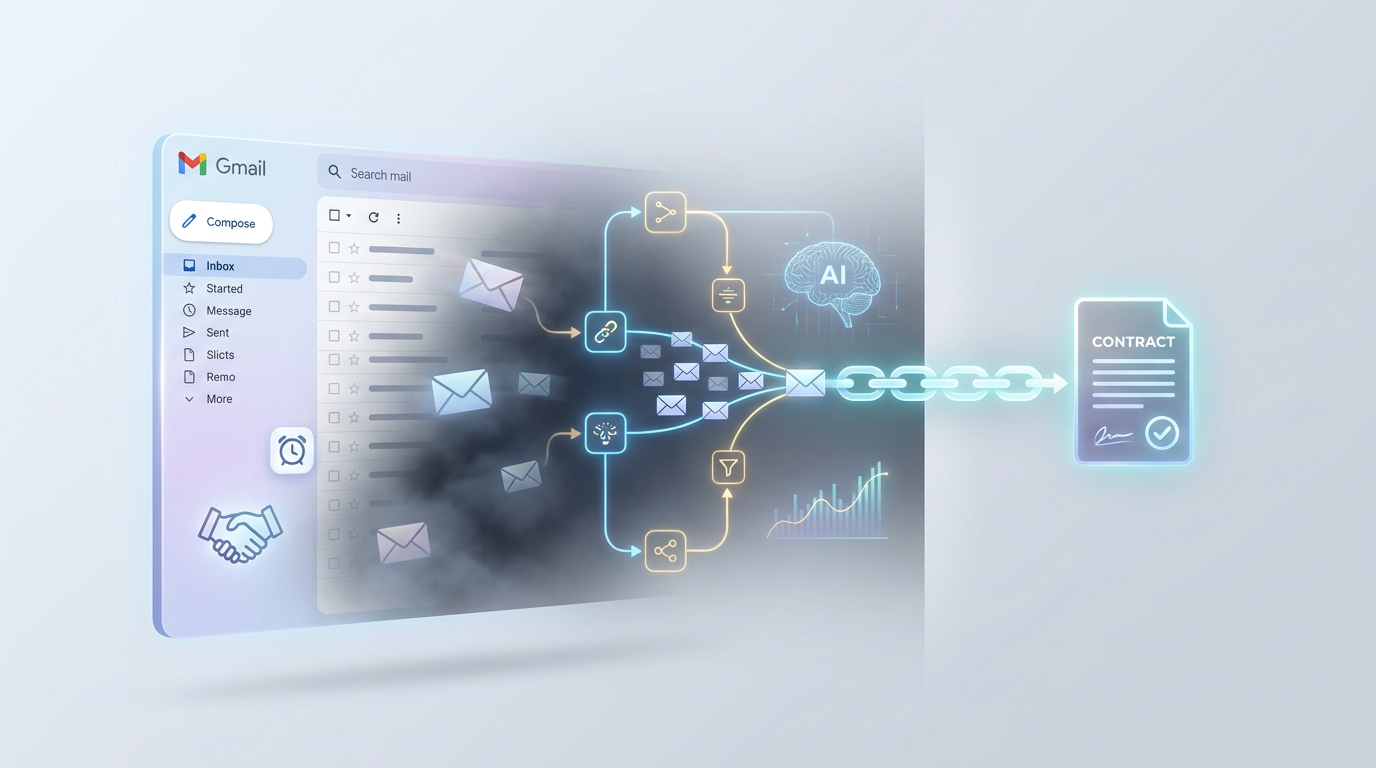
The most significant breakthrough in 2026 sales tech is the ability to monitor Gmail threads in real-time. Specialized AI tools connect directly to your Gmail. They don't just look for "unread" messages; they understand the *context* of the thread.
When you connect your Gmail, the AI identifies tracked customers and "listens" for commitments. If a lead asks, "Can you send those SOC 2 docs by Thursday?" the system identifies that as a task—not because you typed it in a list, but because it appeared in the conversation naturally.
The Mechanics of 'Gmail Auto-Tasks'
This isn't just about reminders; it's about *action extraction*. Gmail Auto-Tasks turn sent and received messages into dated follow-ups automatically:
- Sent Emails: If you end an email with "I'll circle back on Tuesday with a pilot date," the system automatically adds a task to your list for Tuesday.
- Received Emails: If a prospect replies and says, "Let's talk next month," the system recognizes the timeframe and nudges you at the start of the next month.
The magic is that your "to-do list" becomes a living document that manages itself based on the natural flow of your Gmail threads.
From Transcript to Send: The Three-Step Automation Workflow
Automation in 2026 is at its best when it augments human intelligence rather than replacing it. Here is the streamlined workflow used by high-output founder-led sales teams.
1. The Multi-Source Import
Whether you use Granola, Google Drive (Gemini Note Taker), Fireflies, or manual notes, the first step is getting the context into your system. Modern platforms allow you to pull transcripts directly from your meeting recordings. You don't need to summarize them; the AI does that for you instantly.
2. AI Action Extraction
Once the transcript is imported, the AI scans for verbs and dates. It pulls out:
- "Follow up Thursday with the revised SOC 2 docs."
- "Share the Lattice case study."
- "Intro call with Riverbend next week."
These aren't just bullet points; they are actionable items assigned to a specific customer page.
3. The 'Review and Send' Model
This is where you actually automate sales follow-up emails from Gmail threads in 2026. Based on the extracted actions, the AI drafts the email for you:
- Contextual awareness: It knows exactly what you discussed in the meeting.
- Drafting: It writes the email in your specific brand voice.
- Personal touch: You spend 10 seconds reviewing the draft, making one or two tweaks, and hitting send.
You get the efficiency of a bot with the personality of a founder.
Closing the Loop: Auto-Updating and De-duplicating Task Lists
The problem with most "automated" systems is that they create more noise. If every email creates a new task, your list becomes a nightmare of duplicates.
The Power of 'Auto-Close'
In 2026, intelligent systems handle the "closing" of tasks automatically. If you have a task that says "Send pricing tier," and you then send an email containing pricing information, the AI recognizes that the commitment has been met. It closes the task for you. No more clicking checkboxes just to keep your list clean.
Fuzzy Title Matching & Thread De-duplication
A common frustration with older tools was getting five tasks for the same conversation. Modern AI uses "fuzzy title matching" and thread analysis. If a prospect asks two different questions in the same Gmail thread, the system updates the existing task for that customer rather than creating two separate notifications.
The Unified Task List
Imagine opening one page every morning. It's not a complex pipeline dashboard with colored bars; it’s simply a list of people who need to hear from you today, sorted by urgency and organized by account. That is the power of a unified, AI-managed task list.
Shortening Your Deal Cycle with AI-Powered Persistence
Data confirms that persistence is the primary driver of closing deals. However, most founders mistake persistence for "pestering." AI-powered persistence in 2026 is about being helpful, timely, and organized.
Living Customer Pages
Instead of digging through a "sent" folder to remember what you last told a prospect, tools like Nudge build a dedicated page for every customer. It synthesizes what you know (situations and problems) and what you still need to find out (implications and priority).
Why Founders Choose the 'Un-CRM'
Big companies need complex CRMs for forecasting. Founders need to *close*. You need a system that:
- Removes the mental load of remembering details.
- Drafts your emails so you can respond in seconds.
- Cleans up after itself to eliminate admin work.
By using AI to automate the translation of conversations into actions, you ensure that no deal ever dies in the silence again.
FAQs
How does the system know which Gmail threads to track?
You can "track" specific customers or accounts. Once a customer is tracked, the system monitors that specific thread for next steps and commitments. It doesn't clutter your list with personal emails or internal notifications.
Can I use this if I already use a meeting note-taker like Granola or Fireflies?
Absolutely. Modern sales automation is designed to be the "action layer" for your existing tools. You can import transcripts directly from Granola, Google Drive, or Fireflies to turn those notes into tasks.
How does the 'Auto-Close' feature work?
The AI analyzes the content of your sent emails. If it detects that a specific request (e.g., "Send the MSA") has been fulfilled in the thread, it automatically marks the task as complete without manual maintenance.
Is my data secure when connecting Gmail?
Yes. 2026 integrations use scoped API access, meaning the system only "reads" the threads for the customers you have chosen to track. Data is encrypted, and the AI focuses on identifying action items rather than storing sensitive personal details.
Ready to stop deals from dying in your inbox?
[Start Your 30-Second Setup with Nudge]
*Try Nudge for free today. No credit card required. Join the founders who have quit traditional CRMs for a system that actually works.*