App to Organize Client Notes by Customer Automatically (2026)
Stop losing deals to the silence gap. Learn how to use nudge to organize client notes by customer automatically and automate your sales follow-up in 2026.
App to Organize Client Notes by Customer Automatically (2026)
In the high-stakes world of founder-led sales, the meeting is rarely where a deal is won—it is simply the starting line. As we move through 2026, the gap between having a great conversation and closing a contract has never been wider.
Most founders are brilliant at making connections but struggle with the aftermath. The reason? A total collapse of information organization. When you are the CEO, product visionary, and lead salesperson, you don't have time to be a data entry clerk. Yet, traditional tools—bloated CRMs and static spreadsheets—demand exactly that.
If you are looking for an app to organize client notes by customer automatically, you aren't just looking for a digital filing cabinet. You are looking for a way to eliminate the "silence gap" that kills 70% of potential deals.
The Fragmentation Problem: Why Manual Note-Taking Fails Founders
By mid-2026, the volume of data generated by a single 30-minute sales call is staggering. You have the video recording, an AI transcript from tools like Fireflies or Granola, follow-up threads in Gmail, and technical specs sitting in Google Drive.
This creates a "data silo" problem. Your context is shattered across a dozen browser tabs. When it’s time to follow up on a Thursday afternoon, you end up spending twenty minutes just trying to remember what you actually promised.
The High Cost of Manual Entry
Traditional CRMs—the household names we’ve all used and eventually abandoned—were built for sales managers, not sales doers. They require you to manually create "deals," fill out "custom fields," and move "stages" through a pipeline dashboard.
For a founder, this is "busywork." It feels productive, but it doesn't move the needle. This is why many startups revert to simple spreadsheets. However, spreadsheets are static; they don’t listen to your calls or remind you that you promised a prospect a revised SOC 2 document by Friday.
The Statistics of Silence
The data in 2026 is clearer than ever: 70% of sales are lost simply due to a lack of follow-up.
80% of deals require at least five follow-ups to close.
48% of reps never follow up after the first call.
Only 2% of sales close on the first contact.
Deals don't die because your product is bad; they die because you forgot to be persistent. When your notes are disorganized, persistence becomes a cognitive burden you can no longer afford.
[Read: Why founders are quitting traditional CRMs in 2026]
The Shift to Automatic Account Management in 2026
We are currently seeing a paradigm shift away from the "Database of Record" (the CRM) toward the "Follow-Through Engine."
A follow-through engine like nudge doesn't ask you to input data; it absorbs it. Instead of a stagnant list of names, it creates a "living page" for every customer.
AI Action Extraction
The breakthrough of 2026 isn't just that AI can summarize a meeting; it's that AI can now *extract intent*. nudge reads your transcripts and distinguishes between small talk and a commitment. It understands the difference between "We should chat again sometime" and "I'll send the pricing tier overview by Wednesday."
This removes the need to re-read transcripts. The "thinking" portion of the follow-up is done for you, allowing you to focus on the relationship.
Step 1: Unifying Data Sources (Granola, Gmail, and Drive)
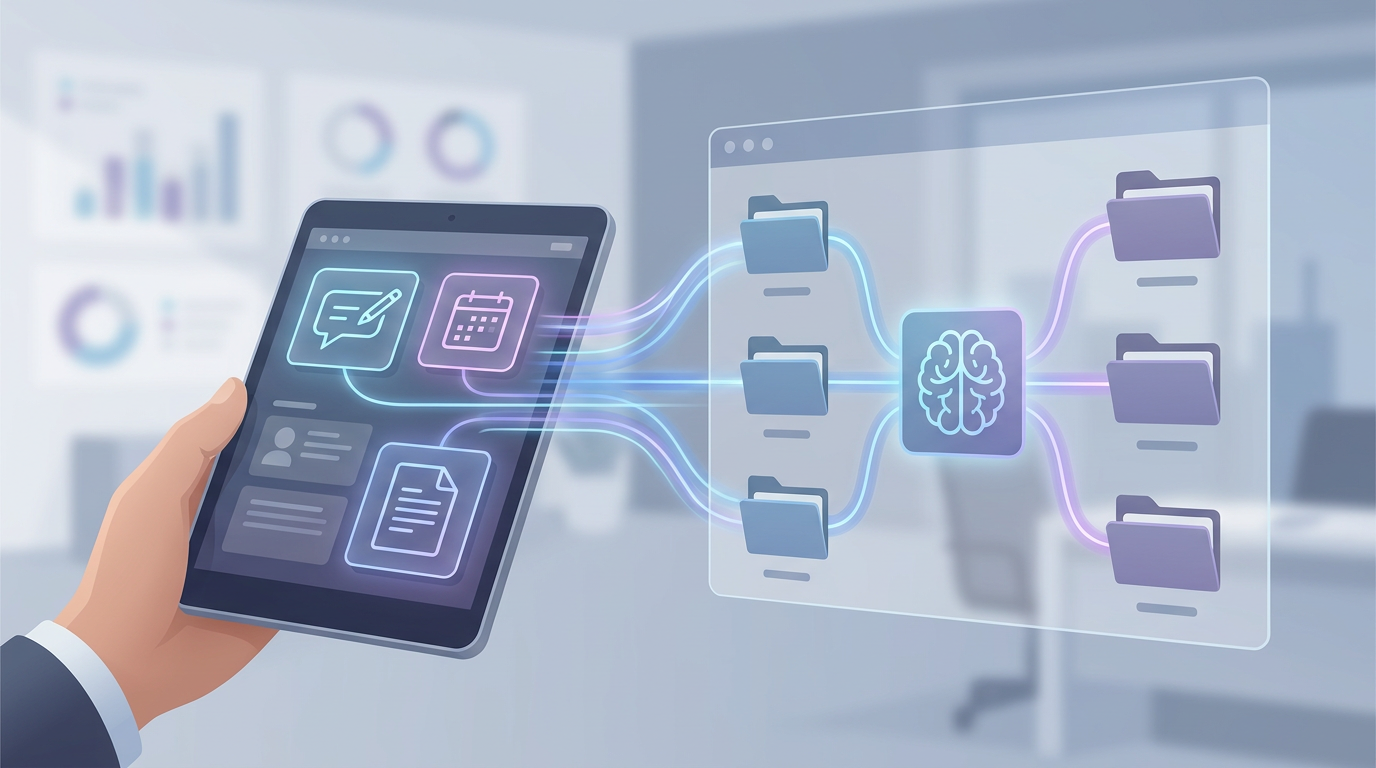
The first step in organizing client notes automatically is ending the hunt for information. An effective app must serve as a single ingestion point for every channel where you communicate with customers.
With nudge, you don't have to change your workflow. Whether you use Granola for meeting notes, Fireflies for transcripts, or Google Meet for video, nudge pulls that data in automatically.
Importing Your History
The import phase is crucial for building immediate context. By connecting your Gmail or Google Drive, nudge looks backward to build a comprehensive customer history. You don't start with a blank screen; you start with a chronological record of every interaction you’ve ever had with that account.
Step 2: Building Automated Living Customer Pages
Imagine if every time you emailed a new prospect, a beautifully organized dossier was created for them automatically—no "Create New Record" buttons and no mandatory fields. This is the core of nudge: it builds a dedicated page for every customer without any manual setup.
The Chronological Timeline
On these living pages, everything is consolidated into a single view:
Meetings: Full transcripts and AI summaries.
Emails: Both sent and received threads.
Notes: Any manual scraps or quick thoughts you’ve jotted down.
Documents: Direct links to shared files in Google Drive.
The "next step" is always pinned to the top of the page. This provides instant situational awareness, so you never have to ask, "Remind me where we left off?" ever again.
Step 3: AI-Powered Action Extraction and Task Dating
The most powerful feature of an app designed to organize client notes by customer automatically is the ability to turn words into tasks. nudge’s AI specifically identifies:
Your commitments: "I will send over the case study."
Their commitments: "They will check with the legal team."
Contextual Dating
The AI doesn't just find the task; it finds the deadline. If you said on a Tuesday call, "I'll get back to you in two days," nudge automatically assigns a due date of Thursday to that task.
By linking specific quotes from the transcript to the action item, you maintain the "why" behind every task. This context makes your follow-up feel personal and professional rather than automated and cold.
[Case Study: How AI action extraction saves founders 5 hours a week]
Step 4: Streamlining the Follow-Up with AI Drafting
The final hurdle in sales follow-through is "blank page" anxiety. You know you need to email the client, but you spend fifteen minutes agonizing over the wording. Because nudge has the transcript, context, and extracted action items, it does the heavy lifting for you.
The Modern Founder’s Workflow:
Review: Open your unified task list in nudge (sorted by urgency).
Select: Click a task (e.g., "Follow up with Pier on pricing").
Draft: nudge presents a ready-to-send email draft based on the actual conversation.
Send: Tweak a word if necessary, then hit send.
You’re no longer "managing sales"—you’re approving actions. This allows a solo founder to handle a volume of leads that would typically require a full-time business development representative.
Beyond the CRM: Why Founders Need Discipline, Not Dashboards
If you are a solo founder or a small team, you don't need complex lead scoring or weighted forecasts. You need the discipline to do what you said you were going to do.
CRMs are built for reporting; nudge is built for follow-through.
The psychological benefit of a unified task list cannot be overstated. When you log in, you don't see complex charts; you see a list of people who are waiting on you, organized by account and sorted by urgency. It provides a clear "path to done" for your sales day.
Conclusion: Closing the Silence Gap
Deals don't die in the meeting; they die in the silence that follows. In 2026, the ultimate competitive advantage isn't just having the best product—it's being the person who actually follows through.
nudge is the system for founders who have "quit" traditional CRMs because they were too much work. It is an app that organizes client notes by customer automatically, allowing you to stop being a data entry specialist and get back to being a visionary.
Your 5-Minute Setup Checklist:
Connect: Link your Gmail and Google Drive.
Import: Pull in your latest transcripts from Fireflies or Granola.
Review: Watch as nudge builds your customer pages automatically.
Action: Send your first AI-drafted follow-up.
Stop losing deals to the silence. Start following through with nudge for free today.
FAQ
Can nudge really organize my notes without me doing anything?
Yes. By connecting to your existing tools (Gmail, Drive, Fireflies, etc.), nudge uses AI to categorize every meeting, email, and note into a specific customer page automatically.
How does nudge differ from a traditional CRM like Salesforce?
Traditional CRMs focus on management reporting and manual data entry. nudge is a "follow-through engine" designed for the person doing the selling, focusing on extracting actions from conversations so you never miss a beat.
Does it work with my existing note-taking apps?
Absolutely. nudge integrates with Granola, Fireflies, Google Drive, and Gmail. You can also paste transcripts directly into the app from any source.
Is there a limit to how many customers I can track?
The free plan allows for 5 customer pages. The Pro plan offers unlimited customers, unlimited imports, and advanced features like AI email drafting.
How does the AI know what a "task" is?
nudge uses large language models trained on sales conversations to identify linguistic markers of commitment (e.g., "I'll do X," "Can you send Y?") and turns them into dated action items.
Is my data secure?
Security is our priority. nudge uses enterprise-grade encryption and does not use your private sales data to train public AI models. You retain full ownership of your information.